



In my previous blog “Sensitivity Labels (Auto-Labelling)”, I highlighted the Auto-Labelling feature in Microsoft 365 (M365) and how it can be implemented either in client-side application or on the service-side. As a follow-up, here I will explain how a sensitivity label can be created for Auto-Labelling in client-side application use.
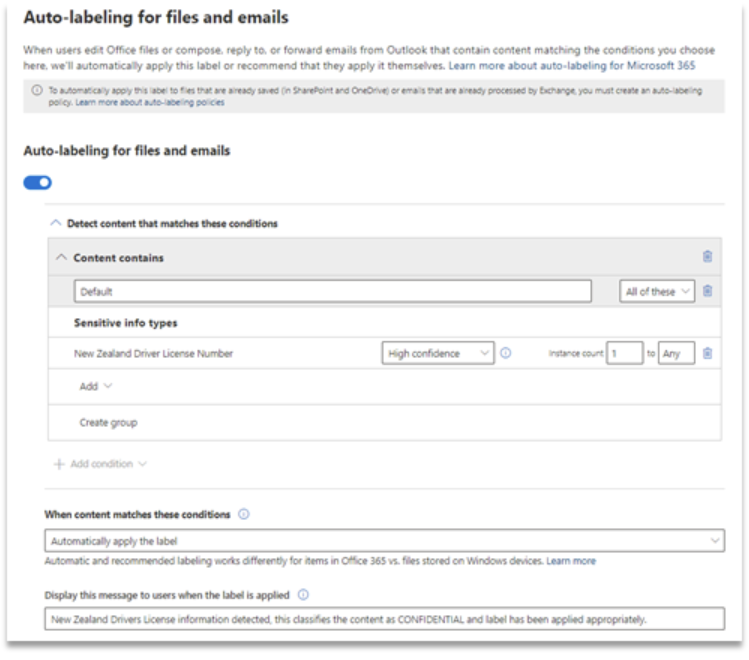
Readers should follow my “Sensitivity Label Simplified” blog for steps on how to create and publish a new sensitivity label. Slide the “Auto-Labelling for files and emails” button to implement the feature we are going to review here.
AUTO-LABELLING IN ACTION
In this example, I have chosen to check the content for a “New Zealand Driver’s License Number” and called the label “Confidential – NZ Driver’s License”. Auto-labelling can also be configured to make a recommendation instead of automatically applying the label. I have chosen “Automatically apply the label”. It should be noted after publishing a label, it can take up to 24hrs for the labels to be made available to end users.
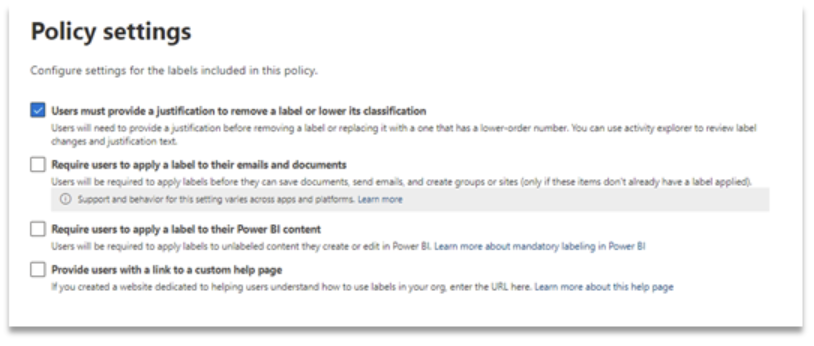
Besides enabling auto-labelling, I have also configured the policy to ask for justification from a user when they choose to lower the classification.
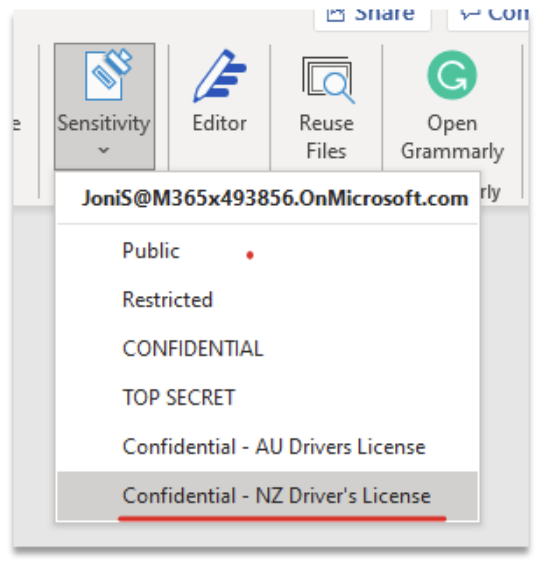
Once published the end user will see the newly published label, in this case “Confidential – NZ Driver’s License”.
Notice when the user mentions New Zealand Driver’s License in their content the “Confidential – NZ Driver’s License” label is automatically displayed in the header of the document.
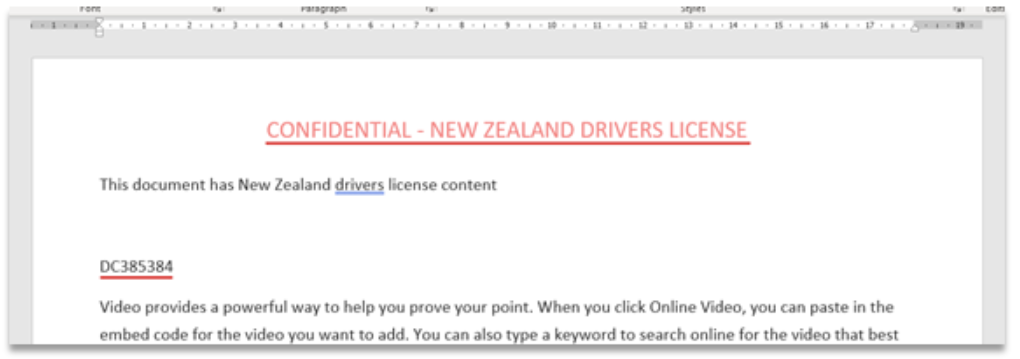
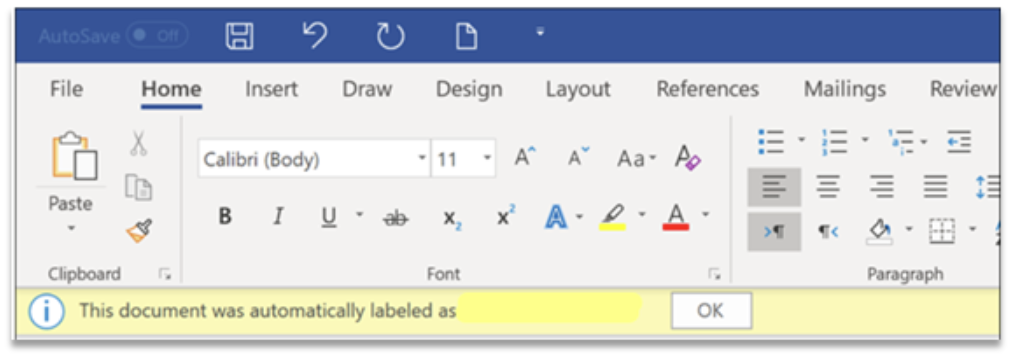
The user will also see a tool tip confirming the label applied.
Consequently, when the user attempts to lower the classification, they are prompted to provide a reason for doing so.
As we can see, automatic labelling on the client-side is effective and less imposing on the end user, however it still achieves the organisational goal of correctly classifying the content produced.
Quick and easy! For a recap on Sensitivity Labels, check out my first blog on this topic.