

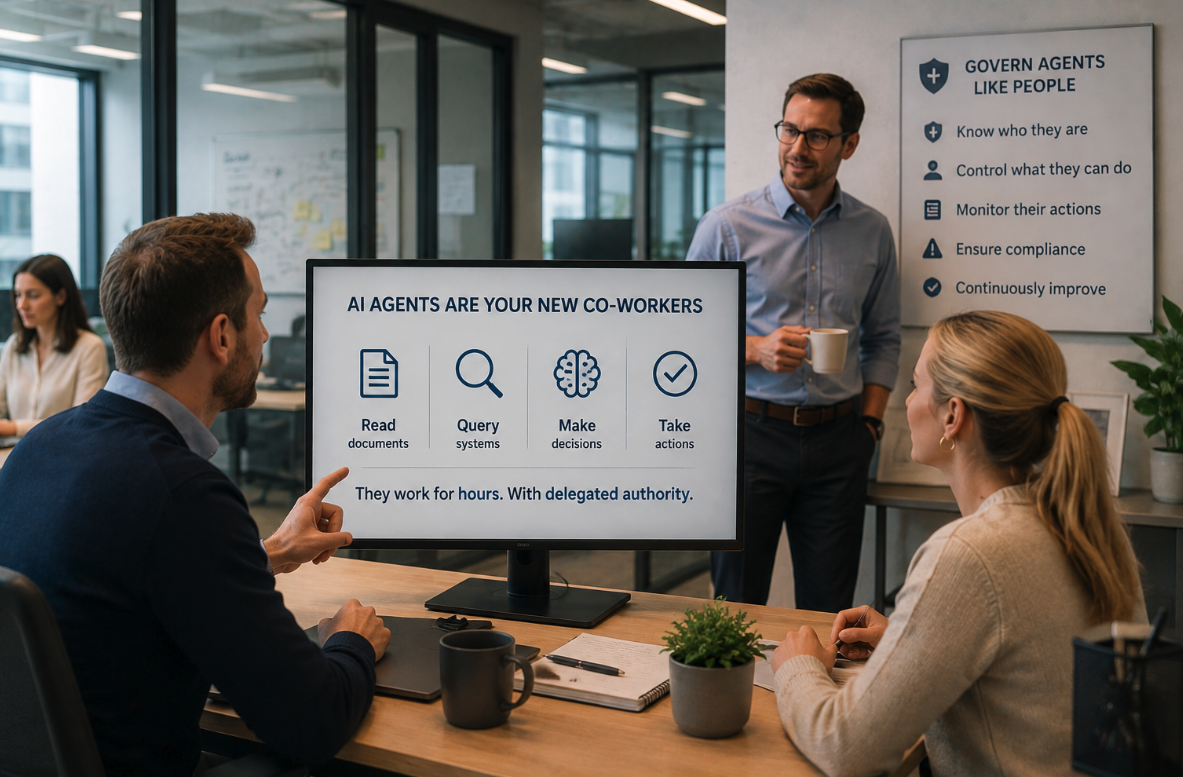
AI agents have become co-workers. They read documents, query systems, make decisions and take actions across your business, often for hours at a time and with delegated authority. Microsoft’s own Deputy CISO for Identity has gone as far as to say that by 2026 many enterprises may have more autonomous agents than human users. That raises a question: if agents can act like people, how do you govern them like people?
Microsoft’s answer is the extension of Microsoft Entra ID Governance to agent identities. Here’s what it means and why it matters.
Why agent governance is important
Agents create a new class of risk. Unlike a traditional app, an agent operates with delegated authority and can affect multiple systems at once, which means poorly governed agents can quietly become your biggest exposure.
Historically, AI agents relied on tools to interact with systems, and each of those tools carried its own identity, often a service principal authenticating to Microsoft Graph or Azure APIs. Coupled with agent sprawl as users create their own agents independently, this leads to lack of visibility and auditing resulting in potential data overexposure.
Agent governance mitigates this by giving every agent an identity that can be managed, audited and protected, with a human accountable for it.
How agent governance differs from user governance
The good news is that agent governance uses the same familiar Entra features you may already apply to people: entitlement management, Conditional Access, Identity Protection and Lifecycle Workflows. The important differences are in the identity model and the human accountability layer:
- A new identity model: Where a person is a single user object, Microsoft Entra Agent ID introduces four object types
- Agent identity blueprints
- Agent identity blueprint principals
- Agent identities
- Agent users
- Sponsor Accountability: Every agent identity should have a human sponsor assigned, who is accountable for decisions about its lifecycle and access, and responsible for auditing. If a sponsor leaves the organisation, sponsorship is automatically transferred to their manager, so there is always a person answerable for the agent
- Agents can self-request (with oversight): An agent identity can programmatically request an access package when it needs one, but that request should still follow an approval workflow
- Non-deterministic behaviour: Agents act with relative autonomy and can behave unpredictably, so governance operate at a similar speed and scale, rather than a predictable moves/adds/changes rhythm
In summary, the agent governance model adds machine identities, programmatic access requests, and an explicit human-sponsor chain of accountability.
What licensing is required
To use Microsoft Entra ID Governance for agent identities, you’ll need one of the following:
- Microsoft 365 E7 license, which includes both Agent 365 and the Microsoft Entra Suite, enabling governance across both user and agent identities
- A Microsoft Agent 365 license with at least Entra ID P1/M365 E3 (note that these combinations do not enable user identity governance functionality, which requires at least Entra ID P2/M365 E5
Microsoft’s licensing guidance has been evolving quickly, and the Entra ID Governance licensing table should be used as a reference to validate the latest entitlements:
What governance features are available
Once agent identities exist, they can be governed using the same mechanisms as for user identities:
- Entitlement management via access packages: agents can be assigned to security group memberships, applications or APIs, and Microsoft Entra roles, on a time-bound, auditable basis
- Multiple request pathways: agents can request access programmatically, the sponsor can request on the agent’s behalf (human-in-the-loop), or an administrator can assign directly
- Expiry, extension and automatic revocation: as an access package assignment nears expiry, the sponsor is notified and is responsible for either extending the assignment or letting it lapse, which automatically revokes access from the agent
- Conditional Access for agents: Conditional Access policies can be applied to agent identities or at the blueprint level so all agents inheriting from the blueprint are evaluated consistently
- Identity Protection for agents: detects and flags unusual or unauthorised activity, identifies agents with compromised tokens, and can automatically remediate risky agents
- Lifecycle Workflows for sponsors: automated notifications to co-sponsors and/or the sponsors’ manager around impending sponsorship changes, maintaining human accountability
- End-user management portals: sponsors and owners managing the agent lifecycle can view access and request access packages on behalf of the agent through the My Access portal
- Broad platform coverage: agent identities can be provisioned automatically and governed across Microsoft Foundry, Copilot Studio, Azure App Services, Azure Functions and Teams
How Insentra can help
Agentic AI can deliver productivity gains but introduces risks and governance challenges. Being too permissive invites sprawl and data exposure, while being too restrictive stifles the very innovation you’re chasing. At Insentra, we help you strike that balance with a practical Entra Agent ID governance foundation:
- Readiness and licensing assessment: mapping your agent estate and confirming the right Agent 365 / Entra licensing path for your environment
- Governance design: access package models, sponsor and ownership frameworks, Conditional Access baselines and Identity Protection policies for agents
If you’re introducing AI agents into your environment, now is the time to make sure the right governance foundations are in place. Contact us to discuss how we can help you establish secure, scalable agent governance with Microsoft Entra.